






The best AI tools of 2026 for creators and professionals are NotebookLM (learning and research), Sora 2 and Veo 3.1 (video), Seedream 4.0 and Nano Banana (image editing), Perplexity (research), and n8n (automation). Below, Hossamudin Hassan breaks down each tool, what it does best, its pricing, and when to use it, based on hands-on testing.
Best AI Tools of 2026 with Hossamudin Hassan
1. NotebookLM — Learn & Explain Anything in Arabic 📚
📺 Watch the Full Video on YouTube
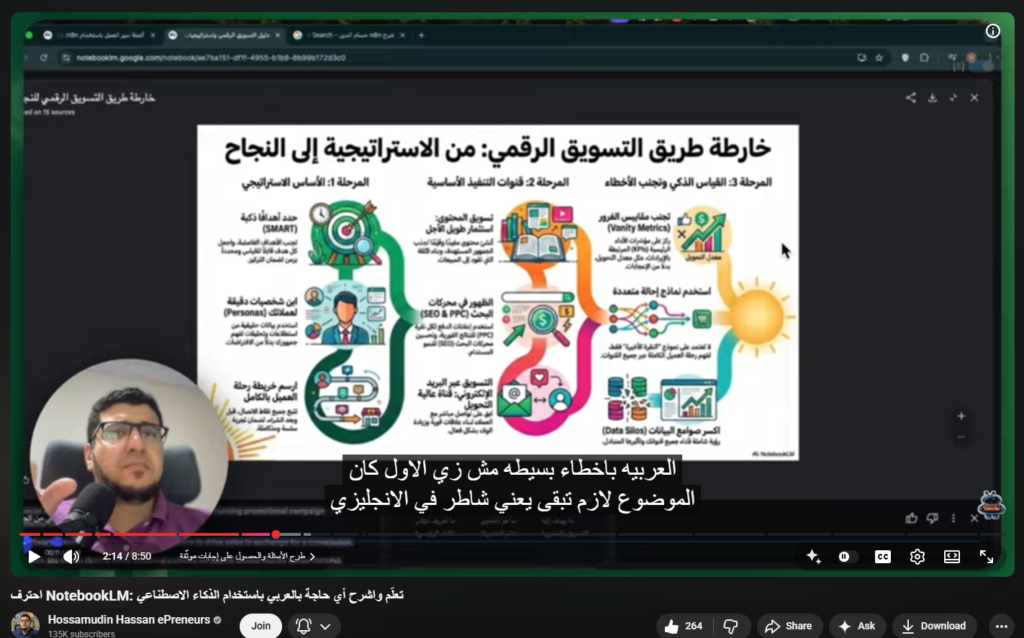
Imagine having one tool that gathers your best learning sources, summarizes them, organizes them into a roadmap, and generates presentations, infographics, a podcast, and a full explainer video — all in Arabic! That’s exactly what Google’s NotebookLM does, and Hossamudin Hassan walks you through mastering it from scratch.
What Makes NotebookLM Stand Out?
- Automatic Source Gathering: Add sources from YouTube, websites, Google Drive, or uploaded files — all in one notebook.
- Learning Roadmap Generation: Generates a full Arabic PowerPoint with clear steps to master any field.
- Mind Map & Infographic: Visually displays key concepts and definitions in a structured, beautiful format.
- Audio Overview (Podcast): Launches a two-voice episode discussing your content — you can even join the conversation!
- Video Overview: Combines the infographic + PowerPoint + voiceover into a professional explainer video automatically.
- Full Arabic Output Support: Simply select Arabic as your output language — language is no longer a barrier to learning.
- Flashcards & Study Guide: Perfect for deep memorization or structured reading.
Who Is It For?
- Students and researchers diving deep into any subject
- Teachers and content creators needing to produce educational materials fast
- Anyone wanting to learn from scratch without designers or developersAs Hossamudin puts it: “A remarkable opportunity to learn any field, any topic — even if you have zero background.”
2. Perplexity Computer — The AI Employee That Works 24/7 🤖
📺 Watch the Full Video on YouTube
**🔗 Free Perplexity AI Course (First 1,000 Subscribers)**
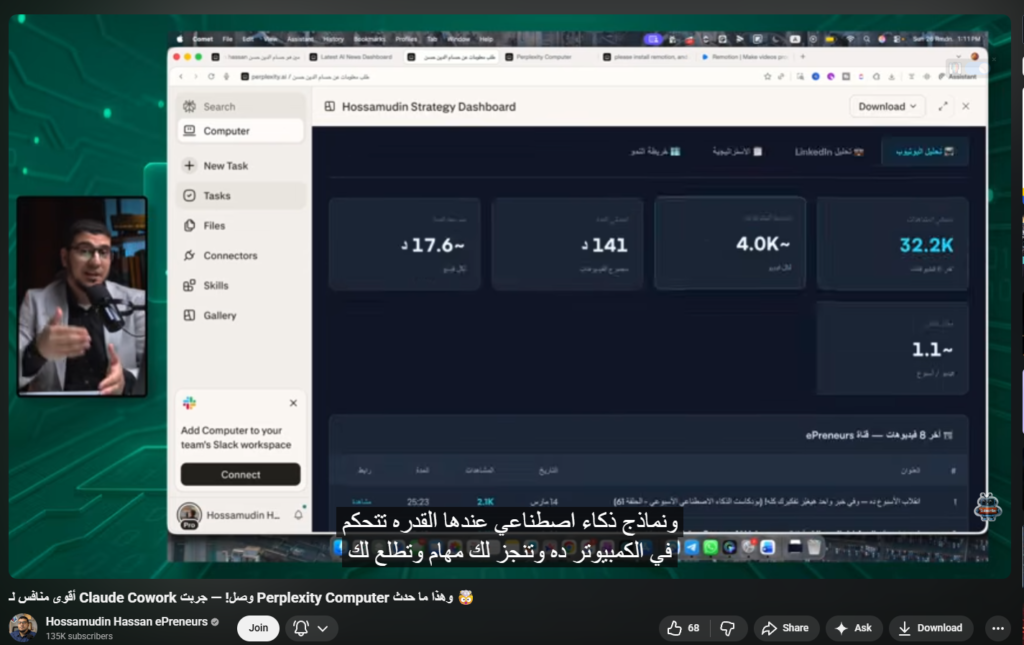
Perplexity just launched Perplexity Computer — a fully autonomous AI agent running on a cloud computer, capable of completing complex tasks even while your own computer is off. ⚡
What Can Perplexity Computer Do?
- 🔍 Parallel Research: Searches LinkedIn, Gmail, Reddit, X, and 400+ integrations simultaneously.
- 📊 Data Analysis: Analyzes your LinkedIn profile, identifies competitors, and builds a 6-month growth strategy.
- 📄 File Creation: Automatically generates Word docs, PowerPoints, and interactive dashboards.
- 🎬 Video Generation: Installs Remotion, writes the code, and produces a full animated video — all by itself!
- 🎙️ Transcription: Converts any video or audio file to text automatically.
- 🧠 Auto Skills: Selects the right skill for each task without needing a long prompt every time.
Perplexity Computer vs. Claude Cowork
| Feature | Perplexity Computer | Claude Cowork |
|---|---|---|
| Works while you’re away | ✅ Yes | ❌ Requires open computer |
| Number of Integrations | 400+ | Limited |
| Video Generation | ✅ Yes | ❌ No |
| Free Plan Available | ❌ No | ✅ Yes |
💸 Pricing — What You Need to Know
- $20/month plan: 4,000 credits only
- $200/month plan: 10,000 credits
- One complex task can consume up to 1,400 credits — calculate your usage before subscribing!
3. Twin AI — Build 4 Automations in Arabic in Half an Hour 🚀
📺 Watch the Full Video on YouTube
**🔗 Try Twin AI for Free**
**✅ Join the Arabic AI & Automation Club**
Building automations in n8n, Zapier, or Make takes a long time and requires technical expertise — until you try Twin AI. Just tell it in Arabic “build me an automation” and it builds in minutes! 🔥
What Makes Twin AI Different?
- 🗣️ Arabic-First: Describe what you want in plain Arabic or English — no complex prompts needed.
- 🌐 Human-Like Web Scraping: The Agent can log in, click, scroll, and collect data from any website exactly like a human.
- ⏰ Smart Scheduling: Run it on a timed schedule or trigger it via Webhooks, emails, or messages — works while you sleep.
- 💰 10x Lower Cost: Uses powerful models for planning, then switches to lighter models for execution.
- 📊 Professional Dashboard: Generates a full user interface for every automation you build.
The 4 Automations Built in the Video
- Automatic Lead Generation: Searches for AI companies on LinkedIn, writes outreach emails, and calculates a Fit Score for each company.
- Playlist to Full Article: Takes a 24-video YouTube playlist and turns it into a complete SEO-optimized HTML article with images.
- AI News Tracker: Gathers news from X and LinkedIn every 12 hours and sends you a daily summary on Telegram.
- YouTube Competitor Monitor: Tracks 5–10 channels daily and sends you a report with new videos and their summaries.
Pricing
- Free: 1,000 credits for 14 days
- Pro: $20/month = 2,000 credits
- Credit consumption is surprisingly low for most standard automations
4. Replit — Build Full Apps with AI and Zero Code 💻
📺 Watch the Full Crash Course on YouTube
**🔗 Try Replit & Get $10 Credit**
**📱 Download Mobile App**
You don’t need to be a programmer to build apps anymore! Vibe Coding — the ability to guide AI to build complete software projects for you — is the skill of 2026. Hossamudin’s full crash course takes you from zero to four live, deployed applications. ✅
The 4 Projects Built in the Course
- 🎮 Ramadan Educational Game: Interactive Islamic trivia with a Timer and beautiful design — built in just 14 minutes!
- 🧠 AI Meeting Recorder App: Records meetings, generates an Arabic Transcript, a Summary, and a To-Do List automatically.
- 📈 Landing Page + ROI Calculator: A full marketing page designed to capture leads.
- 🍽️ Full Restaurant App: Menu + Orders + Reservations + Admin Dashboard — no code required.
Replit’s Key Built-In Features
| Feature | Details |
|---|---|
| Replit Database | Automatic user data storage |
| Authentication | Ready-made account system, zero setup |
| Connectors | Connect Gmail, Google Sheets, Asana & more |
| AI Integrations | Claude, Gemini, GPT, OCR built right in |
| Publish & Deploy | Go live on the internet in seconds with a free domain |
Pricing
- Free Plan: Limited, suitable for experimentation only
- Replit Core: $25/month ($20/month billed annually)Pro tip from Hossamudin: “The simpler your prompt, the better the result — Replit is extremely user-friendly by design.”
5. n8n V2 — The Most Powerful Update in Automation History 🔥
📺 Watch the Full Video on YouTube
**🔗 Use n8n Cloud**
**🖥️ Host n8n on Hostinger VPS (20% Discount)**
n8n V2 has arrived — and this is no ordinary update. It’s a significant leap in performance, user experience, and the way you build Workflows and AI Agents.
Top Updates in n8n V2
- 📢 Publish System + Workflow History: Replaced Active/Inactive toggles — now you publish Workflows and maintain a full version history to roll back anytime.
- 🔗 Improved Sub-Workflows & Wait Node: Resolved the long-standing issue of Parent Workflows waiting on Sub-Workflow results — supports more complex logic with fewer errors.
- 💾 Auto Save + Faster Quick Save: Saving is now near-instant, preventing workflow loss.
- 🐍 Full Official Python Support: Moved from Beta to stable — all libraries and data analysis tools now fully supported.
- 🧠 Focus Panel for AI Agent Prompts: Edit and test System Prompts for your AI Agents without disrupting your live Workflow.
- 📂 Disk-Based File Storage (Instead of RAM): A fundamental performance improvement that reduces server load significantly.
- ⚙️ Unified Settings + Migration Report: Shows exactly which old Workflows are compatible with V2 before you upgrade.
How to Update n8n?
On Cloud: Settings → Help → Updates → Select Stable Version → Save
On Hostinger VPS: Just 3 terminal commands — check the official documentation to avoid any issues.
💡 Note from Hossamudin: Even though Twin AI can now build automations automatically, learning n8n fundamentals still matters — “Understanding automation basics will make a huge difference for you,” especially when building for clients or handling complex use cases.
🔔 Follow Hossamudin Hassan for the latest in AI and Automation:
LinkedIn | Arabic AI & Automation Club | Telegram Community | All Links
