






Novi AI bundles several leading video models, including Sora 2, Veo 3.1, and Kling, into one workflow, so you can go from script to finished video without switching tools. Here is how Novi AI performs in real content production, what it costs, and whether it can replace your full video stack.
Can One AI Tool Replace Your Entire Video Workflow? Testing Novi AI (Sora 2, Kling, & More)
Hey everyone! We all want to make those viral videos we see on social media, right? But usually, that means jumping from one tool to another—one for the script, one for the images, and another for the animation. It’s a headache.
The youtube video:
That’s where the tool I’m testing today comes in. I’m teaming up with iMyFone to explore Novi AI. It claims to bring all the big AI models—like Sora 2, Kling 1.6, and Hailuo—under one roof.
Is it the ultimate all-in-one solution? Let’s find out.
The Setup: Credits and Models
First off, Novi AI works on a credit/coin system. Different models cost different amounts. You’ve got the heavy hitters here like Google Veo, Kling, and Sora 2.
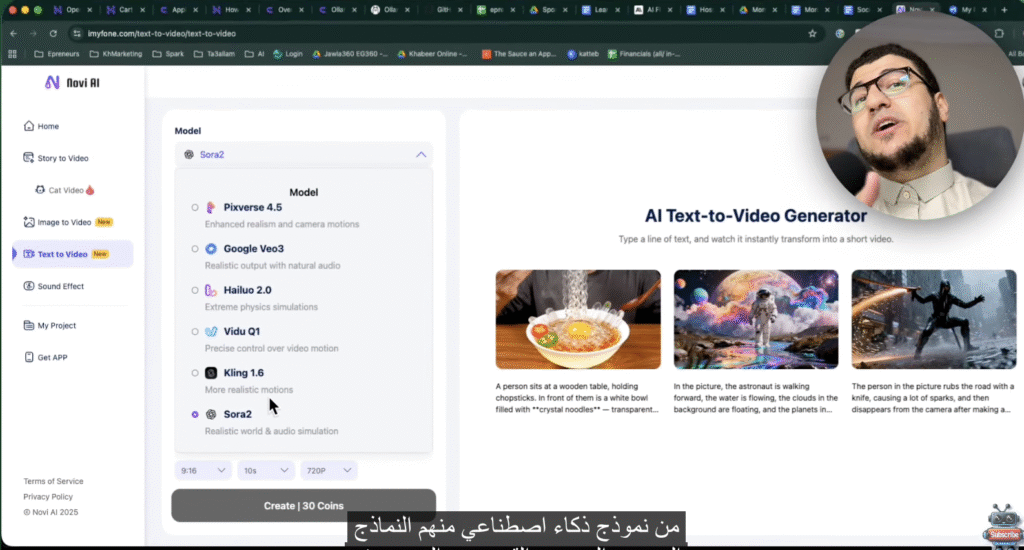
I’m most excited to test Sora 2. It’s usually expensive or hard to access, so having it here is a big plus.
![Image: Screenshot of the Model Selection screen showing options like Pikaverse, Google Veo, Hailuo, Kling, and Sora 2.]
The dashboard lets you pick your fighter. I’m going with Sora 2.
Test 1: Text-to-Video (Sora 2)
I wanted to create a cinematic scene of a superhero flying through a city. instead of writing a basic prompt myself, I used Perplexity AI to write a “perfect” prompt for Sora 2. Pro tip: Always let AI help you prompt AI.
The Cost: 30 Coins for a 10-second video at 720p.
The Result:
The video generated vertically (perfect for TikTok/Reels). To be honest, the camera angles were fantastic.
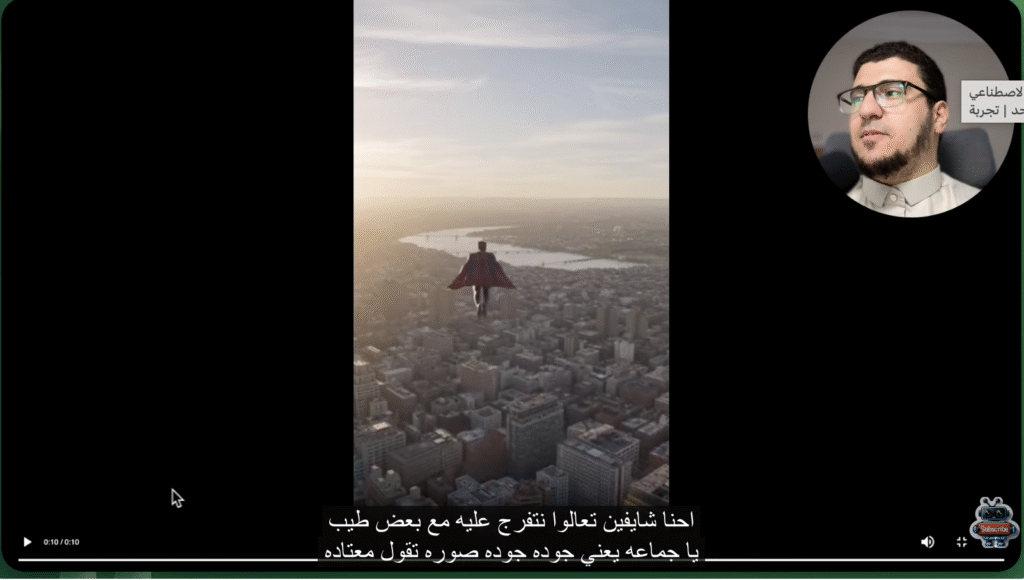
“The quality of Sora 2… honestly, the changing of angles is wonderful. It managed to generate a video in a nice way and very quickly.” (Timestamp: 03:15)
![Image: Screenshot of the generated video showing a superhero flying through a cityscape.]
Sora 2 nailed the camera movement, though the resolution gets a bit soft on mobile.
Test 2: Image-to-Video (The “Transition” Test)
This is where I wanted to get creative. I used Kling 1.6. The goal was to create a smooth transition where I walk behind a wall and emerge as a different character (like a pirate).
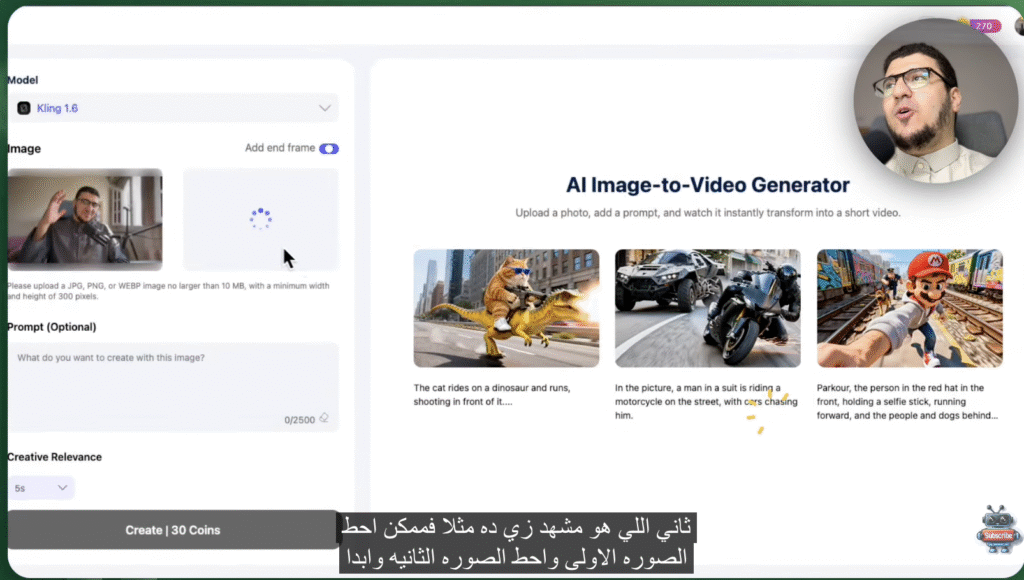
I uploaded my start frame (me) and my end frame (the pirate character).
![Image: Screenshot of the ‘Image to Video’ interface showing the ‘Start Image’ upload slot and ‘End Frame’ upload slot.]
The setup: Start frame on the left, end frame on the right. Can the AI fill in the middle?
The Result:
Well… it wasn’t great.
“The transition… heh, it’s not smooth, to be honest. I’m totally lost here!” (Timestamp: 08:05)
The AI sort of morphed me awkwardly. It seems even with advanced models, specific motion transitions require very precise prompting. I tried re-prompting to explain I was walking behind a wall, but the AI struggled to connect the two distinct images smoothly.
Test 3: Commercial Product Video
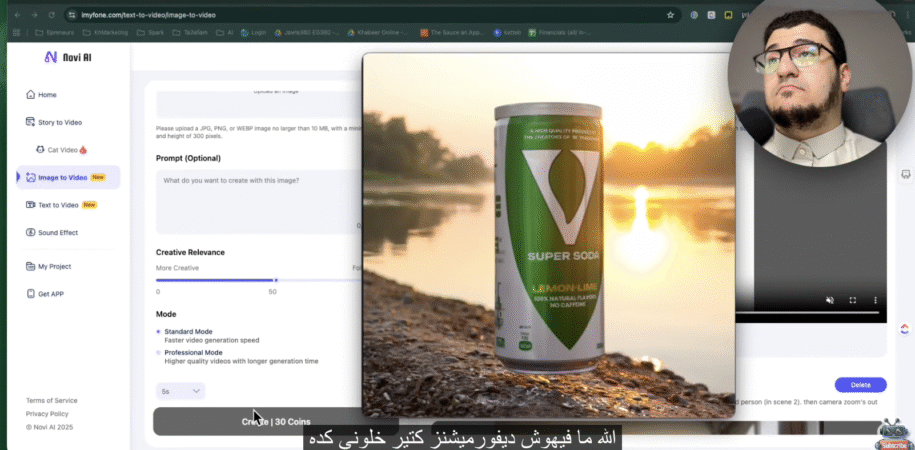
Next, I tried to make a promo video for a soda can using Kling 1.6. I uploaded a product image and asked for a cinematic reveal.
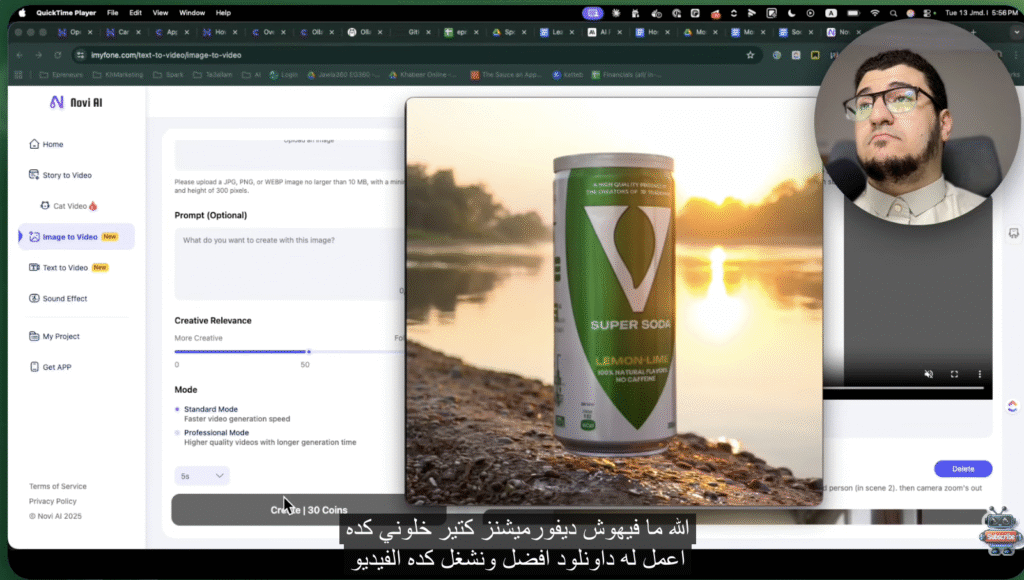
The Verdict:
It wasn’t bad! It animated the background and added some atmosphere. However, I really wished I could use Sora 2 for this specific Image-to-Video feature, as I think it handles physics better. Hopefully, they add that soon.
![Image: Screenshot of the green ‘Super Soda’ can animated video result.]
Not bad for a quick product promo, but I missed the high-end physics of Sora 2 here.
The Star Feature: AI Story-to-Video
This is the feature that actually impressed me the most because of how simple it is. You give it a simple idea, and it builds the entire video.
My Prompt: A story teaching children the importance of honesty, featuring animals, in a cartoon style.
Novi AI did the rest:
- Scripting: It wrote the story (in Arabic, which was cool!).
- Visuals: It generated consistent characters (A cat and a fox).
- Voiceover: It added a narrator.
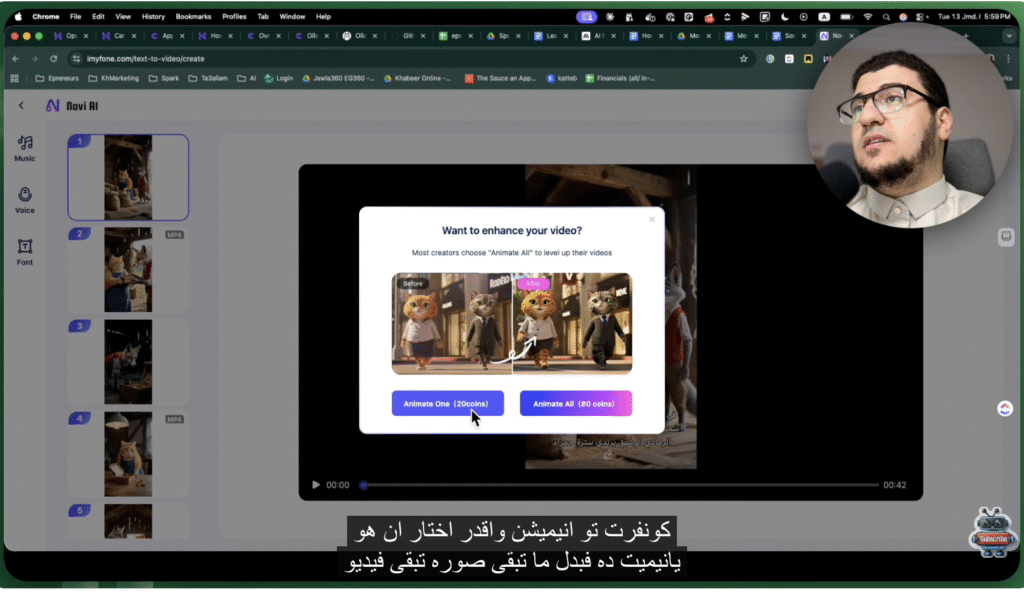
The editor view. It breaks the story into scenes, and you can edit the script or swap visuals instantly.
Fixing Glitches:
The AI isn’t perfect. In one scene, it generated a rabbit that looked… well, terrifyingly human.
“That… how is that a rabbit? If it gives me the ability to re-generate, that’s good.” (Timestamp: 14:46)
And it did! I clicked “Re-draw visual,” and within seconds, it replaced the scary rabbit with a cute one. This flexibility is key. You aren’t stuck with the first bad result.
![Image: Screenshot of the ‘Re-draw visual’ button or the comparison between the weird rabbit and the fixed rabbit.]
Left: Nightmare fuel. Right: The fixed, cute bunny. Being able to re-roll specific scenes is a lifesaver.
Final Thoughts
Novi AI is focusing on being a simple, all-in-one tool.
Pros:
- Convenience: You don’t need 5 different subscriptions. It’s all here.
- Story Mode: The workflow from “idea” to “full video” is seamless and great for beginners.
- Model Variety: Access to Sora 2 and Kling is a huge selling point.
Cons:
- Control: You don’t have the granular control of professional tools like Runway (yet).
- Transitions: As we saw with my “wall walk” attempt, complex movements are hit-or-miss.
“It’s a simple tool, not distracting. There aren’t 500,000 options to deal with. It gives you control where you need it to output something like what you imagined.” (Timestamp: 15:43)
If you are looking to get into AI video creation without a steep learning curve, this is definitely worth checking out.
Have you tried Sora 2 yet? Let me know in the comments!
